Create Project
Create a project to define where your QA runs and to organize features and test cases for that app.
Step 1: Open Projects
From the left navigation, click Projects.
Step 2: Click Create Project
Click Create Project (top-right).
Step 3: Fill project details
Provide the following:
- 1Project name: A clear name (e.g., “Web App”).
- 2Description: Optional, but useful for teams.
- 3
QA Base URL: The main URL where testing will happen (e.g.,
https://app.yourdomain.com).
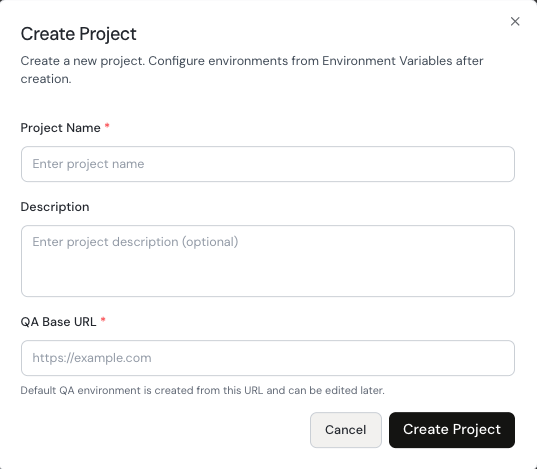
Create Project modal with Project Name, Description, and QA Base URL.
Step 4: Create the project
Click Create Project to finish. After creation, you can start adding features and test cases for this project.