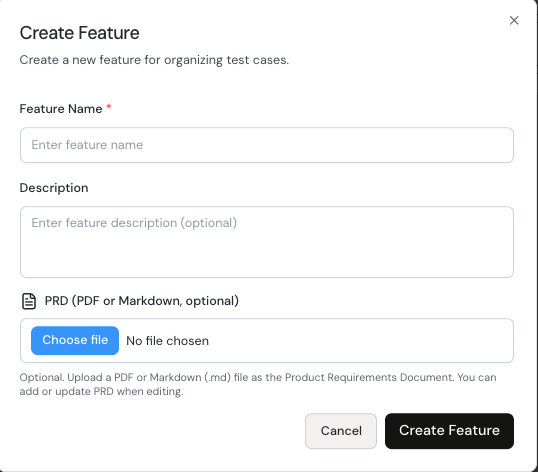
Features
The Features module lists all created features and helps teams organize test cases by product area.
Step 1: Open Features
From left navigation, click Features.
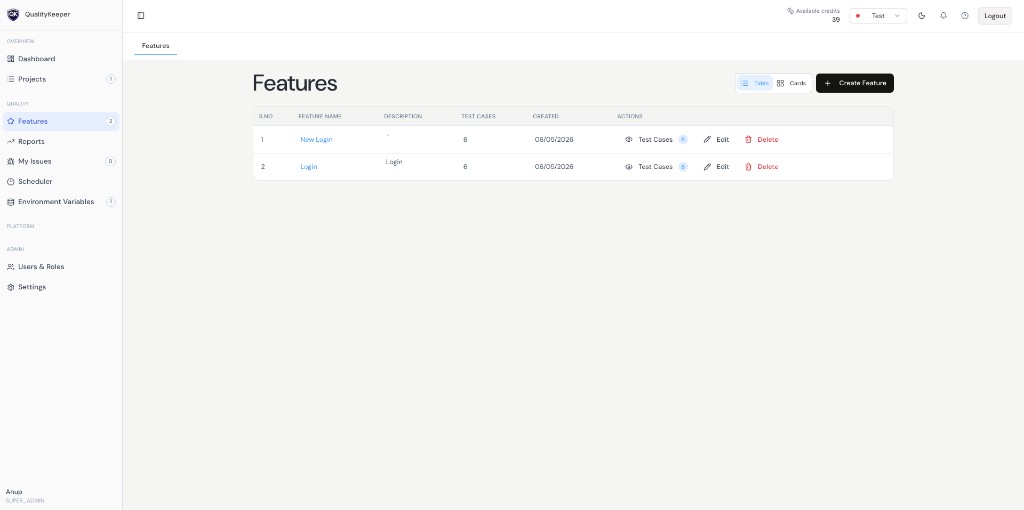
Features list with count, details, and actions.
Step 2: Understand what the listing shows
You can review:
- 1Feature name and description.
- 2Test cases count per feature.
- 3Created date and quick actions like opening test cases.
Step 3: Create a new feature
Click Create Feature and provide:
- 1Name (required).
- 2Description (recommended).
- 3
PRD (optional): useful for AI test generation and as a shared knowledge hub for QA and project managers.