Reports
Reports module is used to run executions (sanity/regression/partial regression) and track report history.
Reports listing
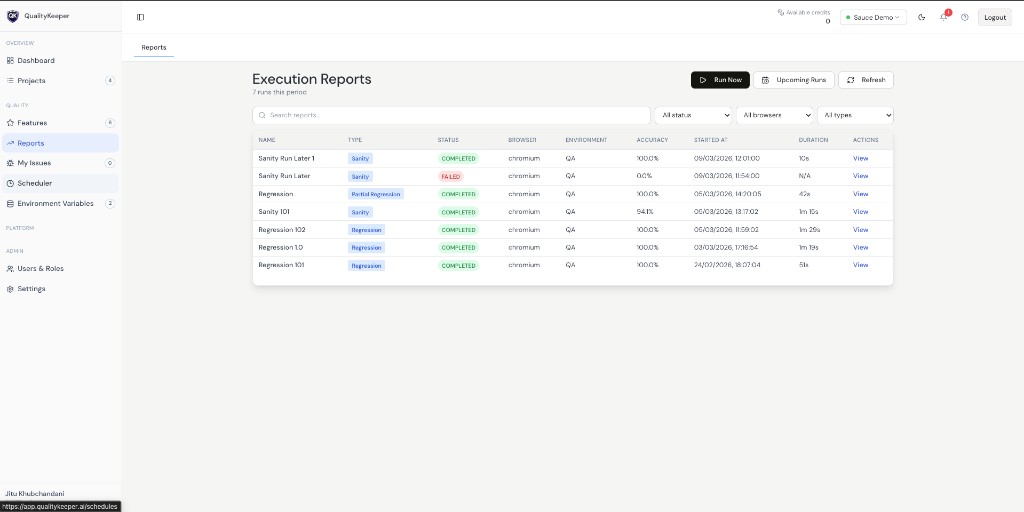
The listing shows previously executed runs with columns like run name, type, status, browser, environment, accuracy, started-at, duration, and View action.
Upcoming Runs shows how many executions are pending.
Run now
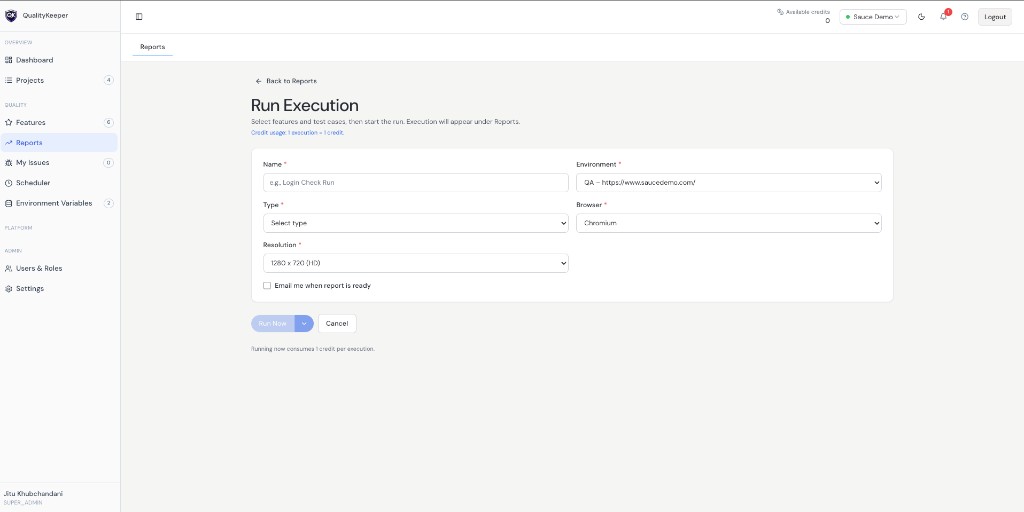
Clicking Run Now opens the execution form where user provides run details.
Fields in Run Execution
- Name
- Environment
- Type
- Browser
- Resolution
- Email when report is ready (optional)
Each run consumes 1 credit per execution.
Type options and test case selection
Type has two options:
All positive test casesAll active test cases
All positive test cases
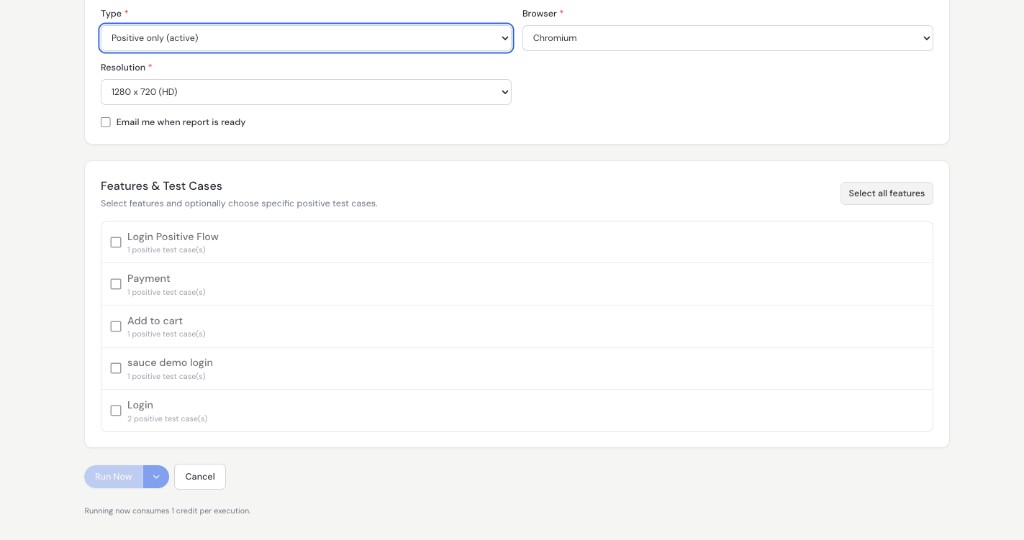
When All positive test cases is selected, positive cases are listed and user can select or unselect features/test cases.
All active test cases
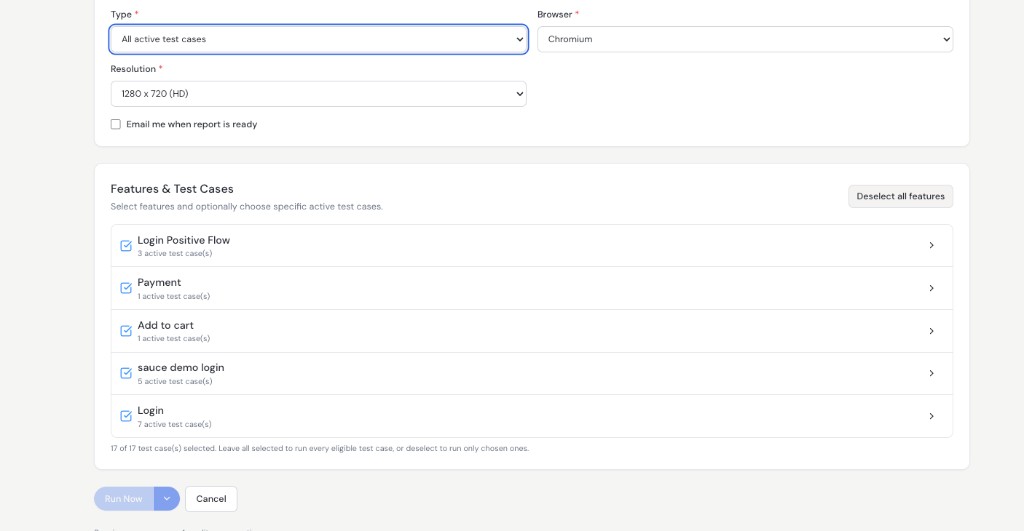
When All active test cases is selected, user can:
- run complete active scope (full regression style), or
- select only some features/test cases (partial regression style)
Browser and resolution
Browser options include:
- Chrome
- Firefox
- Chromium
- WebKit
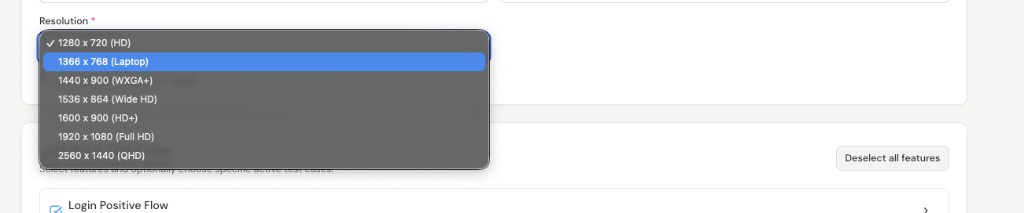
Resolution options include:
1280 x 720 (HD)1366 x 768 (Laptop)1440 x 900 (WXGA+)1536 x 864 (Wide HD)1600 x 900 (HD+)1920 x 1080 (Full HD)2560 x 1440 (QHD)
Run dropdown options
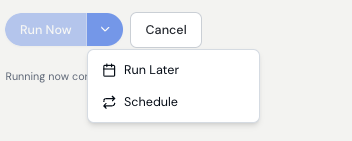
Next to Run Now, dropdown provides:
Run LaterSchedule
Run Later
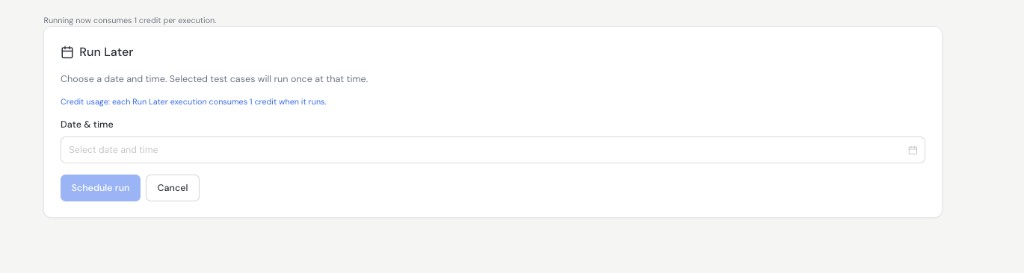
Run Later is for one-time execution in future. User selects date and time.
Schedule
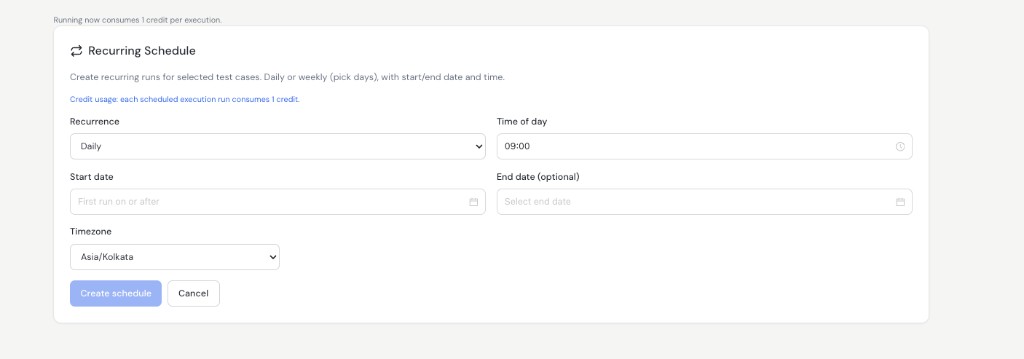
Schedule is for recurring execution. User configures:
- Frequency (
DailyorWeekly) - Time of day
- Start date
- End date (optional, leave empty for forever)
- Timezone