Test Case Tab - Overview
After a test case is created, this tab shows the full metadata and high-level configuration.
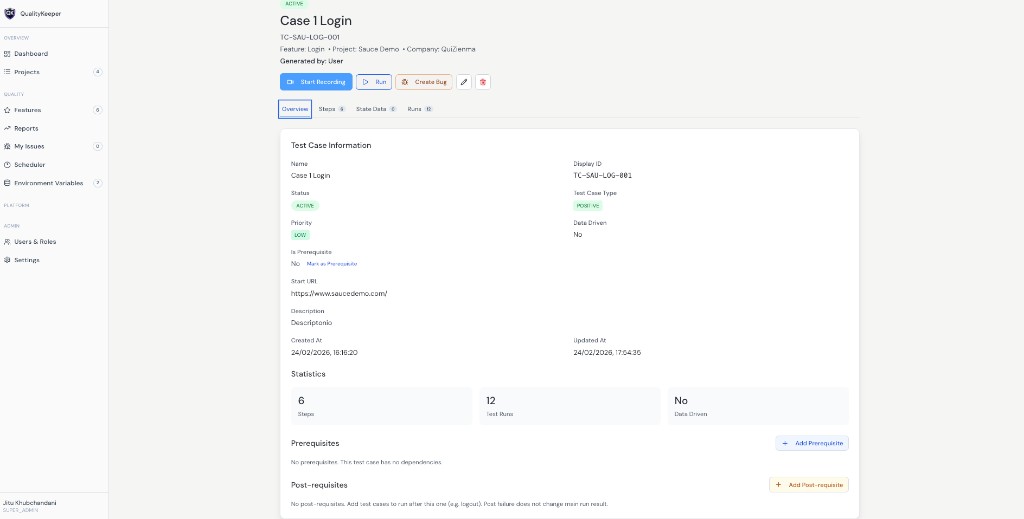
What Overview shows
Overview gives complete test-case metadata and summary, including:
- 1General fields like name, display ID, type, priority, start URL, and description.
- 2Stats such as number of steps, run count, and draft/flags info.
- 3Quick actions like start recording, run, and create bug.
Is Prerequisite field
Is Prerequisite can be Yes or No (default is No).
- If marked as prerequisite, this case can be reused as a prerequisite in other main test cases.
- Example: login may be required before creating employee/workflow flows.
Prerequisites and post-requisites
In Overview, you can add both:
- 1Prerequisites: run before the main case.
- 2Post-requisites: cleanup actions after execution (for example logout or clearing cart).