Test Case Tab - Runs
Runs tab shows execution history and status details for a test case.
Runs listing
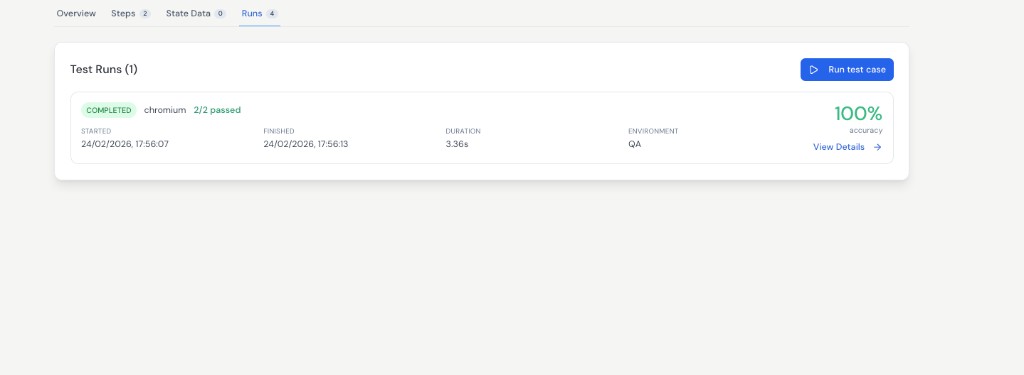
The Runs tab lists each test execution for the current test case.
Each run card gives a quick summary, including:
- Status (for example
COMPLETED) - Browser and pass count (for example
2/2 passed) - Started time and finished time
- Total duration
- Environment (for example
QA) - Accuracy / pass rate
You can trigger a fresh run from Run test case and open run-level details using View Details.
View Details
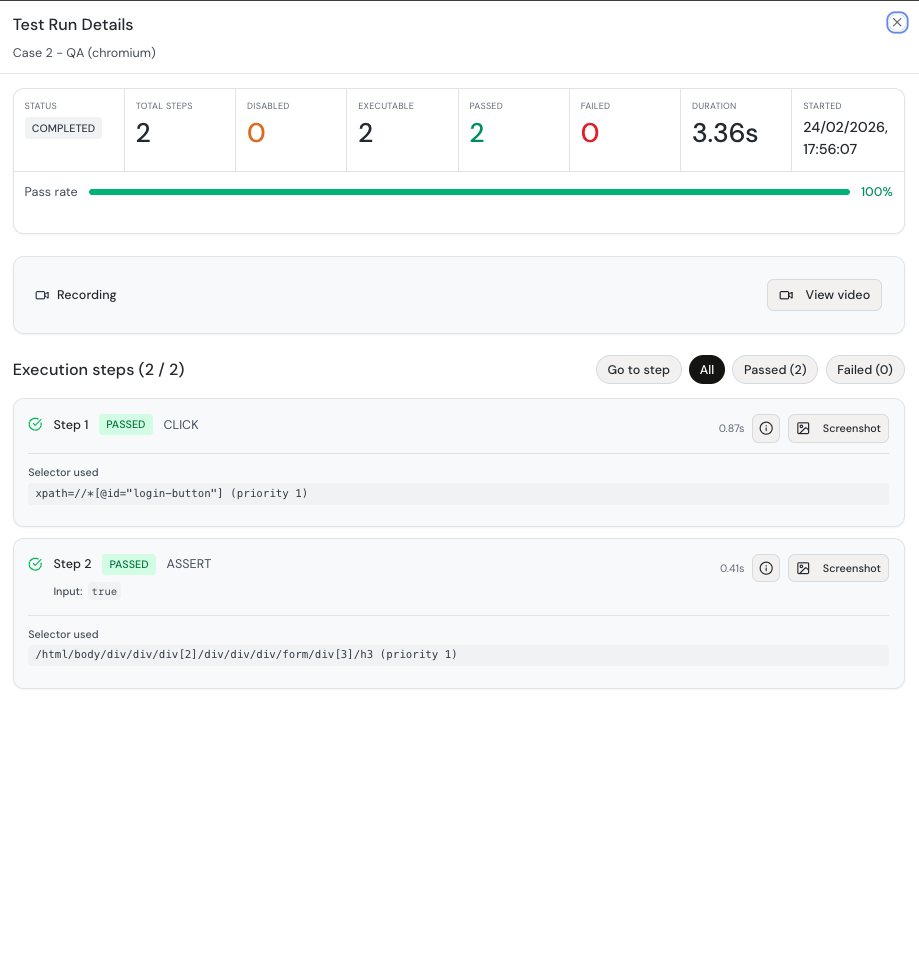
View Details opens full execution insights for that specific run.
Run summary metrics
At the top, you get overall run metrics such as:
StatusTotal StepsDisabledExecutablePassedFailedDurationStarted- Pass rate progress bar
Execution steps breakdown
Below the summary, each executed step is shown with:
- Step number and action type (for example
CLICK,ASSERT) - Step status (
PASSED/FAILED) - Step duration
- Input value (when applicable)
- Selector used and selector priority
- Per-step artifacts like screenshot and detail/info actions
Filters and navigation
View Details also provides quick controls to:
- filter by
All,Passed, andFailedsteps - jump to a specific step
- review recording/video when available
Notes
Use this tab to validate execution quality quickly, and use View Details when you need exact step-level debugging context.