Test Case Tab - Steps
Steps are the actions that execute during a run.
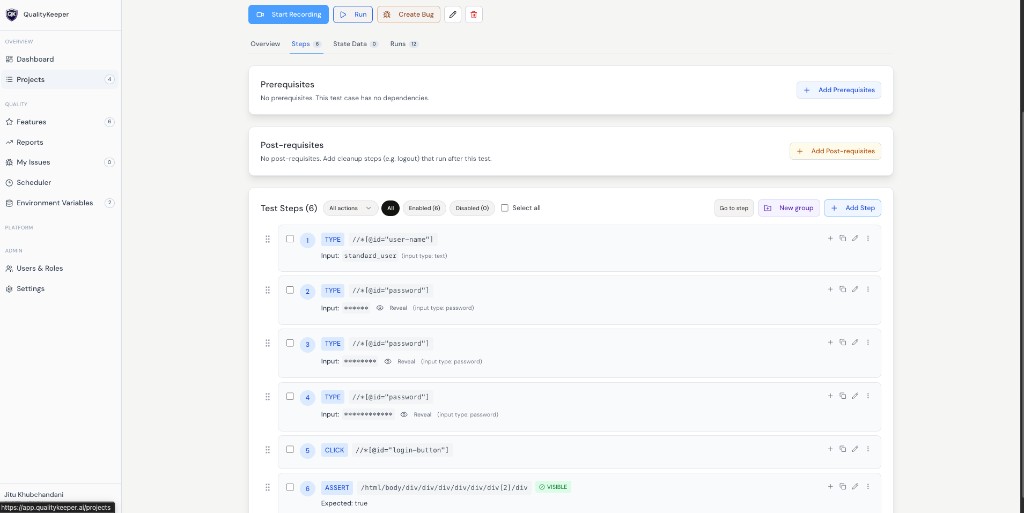
How steps are created
- 1Manual add via Add Step.
- 2Recorded flow via Start Recording.
Add Step flow
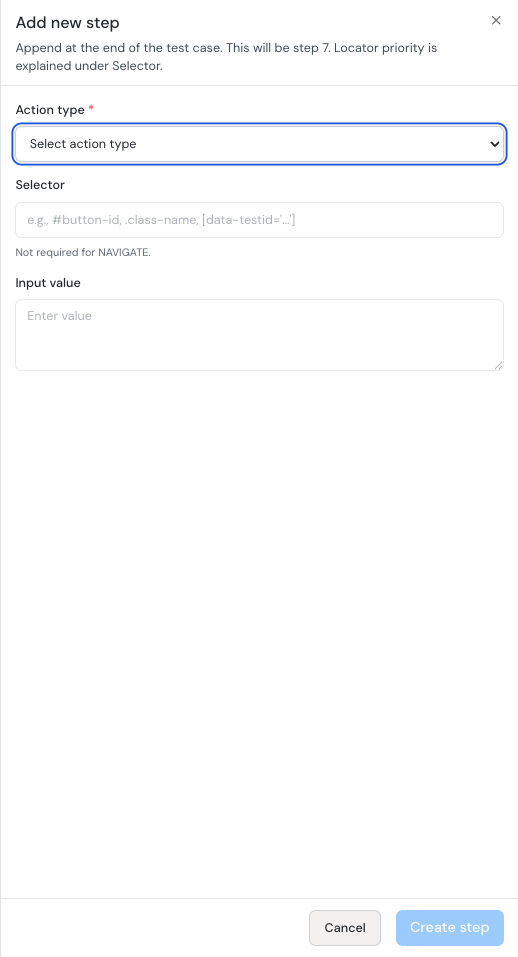
You can add step at the end using Add Step. If you click the + icon on an existing step, the new step is inserted right after that position and following steps are re-indexed.
Supported action types
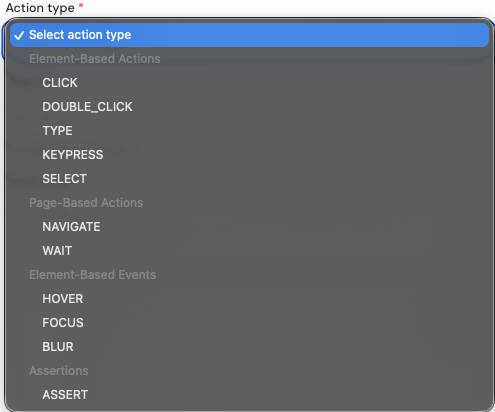
Action types include:
- 1CLICK
- 2DOUBLE_CLICK
- 3TYPE
- 4KEYPRESS
- 5SELECT
- 6NAVIGATE
- 7WAIT
- 8HOVER
- 9FOCUS
- 10BLUR
- 11ASSERT
Selector and additional selector strategy
Selector is required for:
CLICKDOUBLE_CLICKTYPEKEYPRESSSELECTHOVERFOCUSBLUR
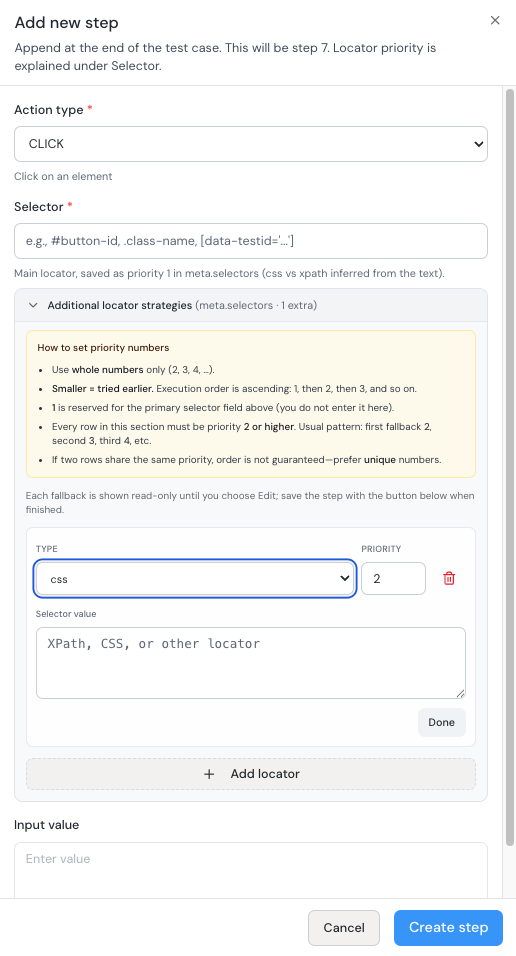
Additional selectors are fallback selectors. If the main selector fails, execution tries fallbacks.
Supported selector types in additional strategies:
- CSS
- XPath
- ID
- Name
- Text
Priority rules:
- 1Lower number means higher priority.
- 2Priority 1 runs before priority 2.
- 3Decimal priorities are supported (for example 0.35 is higher than 1).
Input value behavior
For TYPE, input value supports:
- static text
- state variables
- environment variables
- expressions
ASSERT action configuration
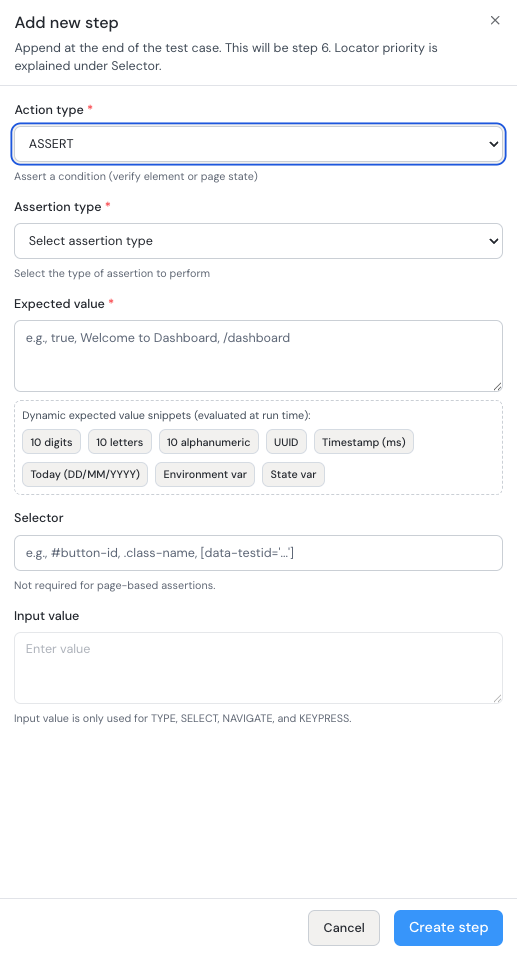
When Action type is ASSERT, configure:
- 1Assertion type (required).
- 2Expected value (required).
- 3Selector (required for element-based assertions, not required for page-based assertions).
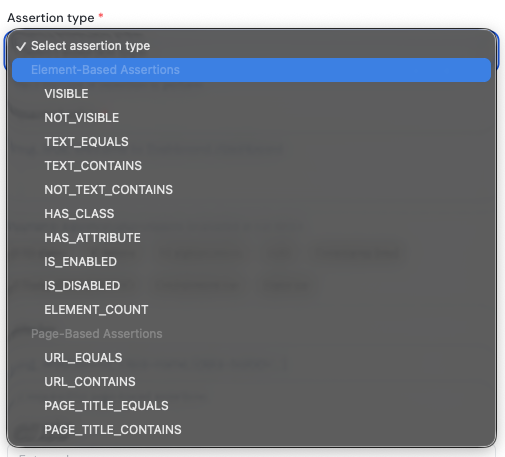
Assertion types include element and page assertions, such as:
VISIBLE,NOT_VISIBLETEXT_EQUALS,TEXT_CONTAINS,NOT_TEXT_CONTAINSHAS_CLASS,HAS_ATTRIBUTEIS_ENABLED,IS_DISABLEDELEMENT_COUNTURL_EQUALS,URL_CONTAINSPAGE_TITLE_EQUALS,PAGE_TITLE_CONTAINS
WAIT action configuration
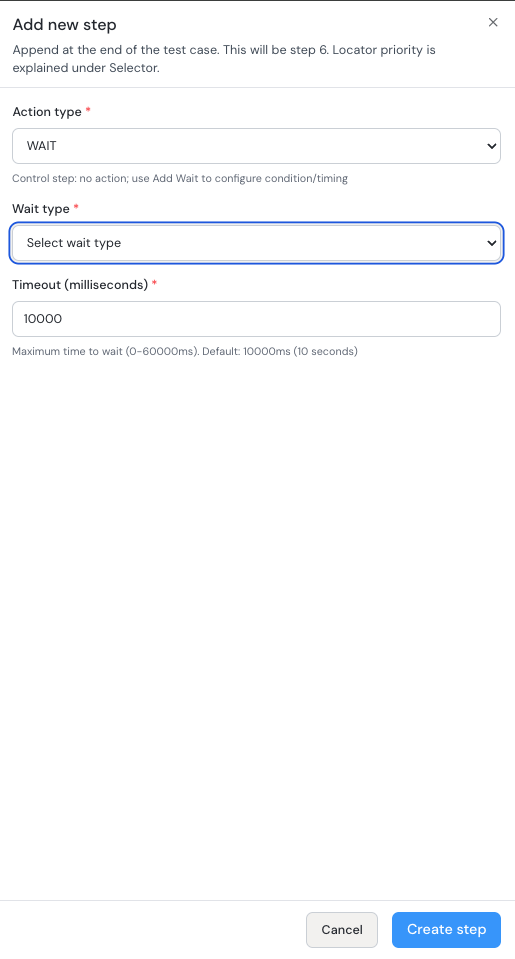
When Action type is WAIT, configure:
- 1Wait type (required).
- 2Timeout in milliseconds (required).
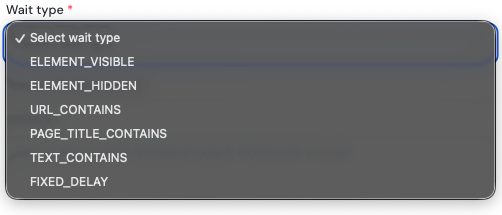
Wait types include:
ELEMENT_VISIBLEELEMENT_HIDDENURL_CONTAINSPAGE_TITLE_CONTAINSTEXT_CONTAINSFIXED_DELAY
Step editing and organization
You can:
- edit steps
- drag and drop to reorder
- duplicate a step and then edit
- expand/collapse groups
- filter steps
Groups are for readability only (no execution-logic change by themselves).
Bulk operations on selected steps
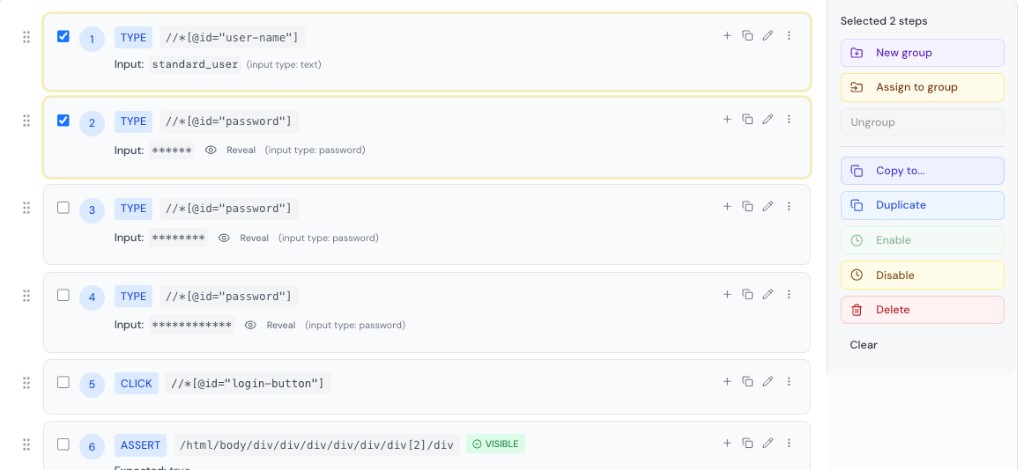
When steps are selected, you can:
- create new group
- assign to group
- copy to another case
- duplicate
- enable/disable
- delete
Assign group
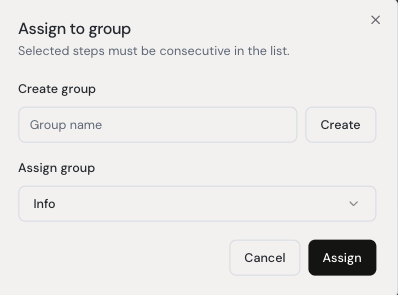
You can assign to existing group or create a group from the same flow.
Copy steps to another test case
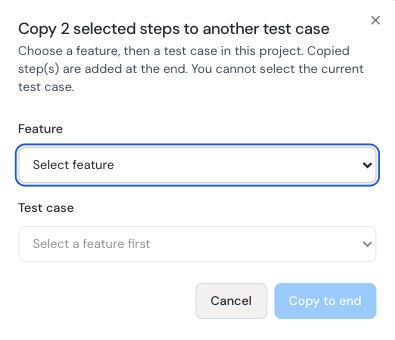
Use this to copy selected steps across test cases/features.
Disable and delete behavior
- Disable skips the step during execution.
- Delete shows undo toast with a 10-second recovery window. If undo is not used, deletion is finalized.